Creating a new Web API Project
We will create new Web API progject via VS2026
- I prefer to use main method and not Top Level Statement
- I prefer to use a Controller instead of Minimal API
- I currenlty don't us Authentication method. (A new session will teach Authentication & Authorization)
- Leave, for now, the default WeatherForcast Controller.
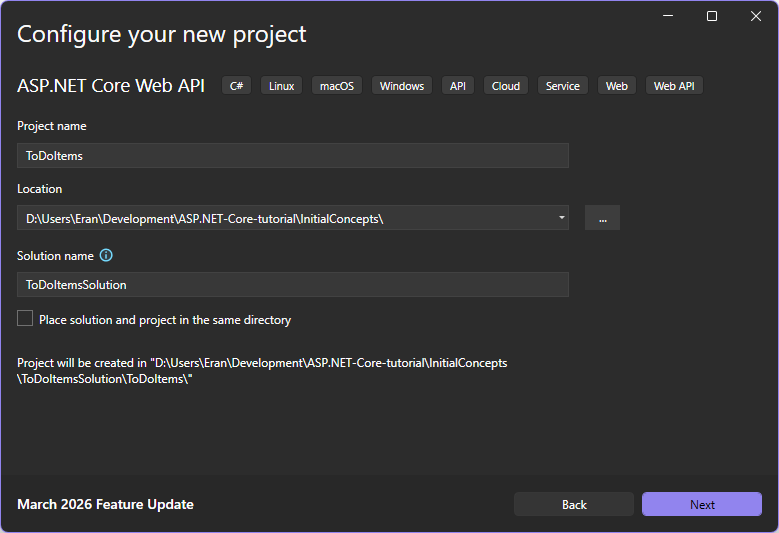
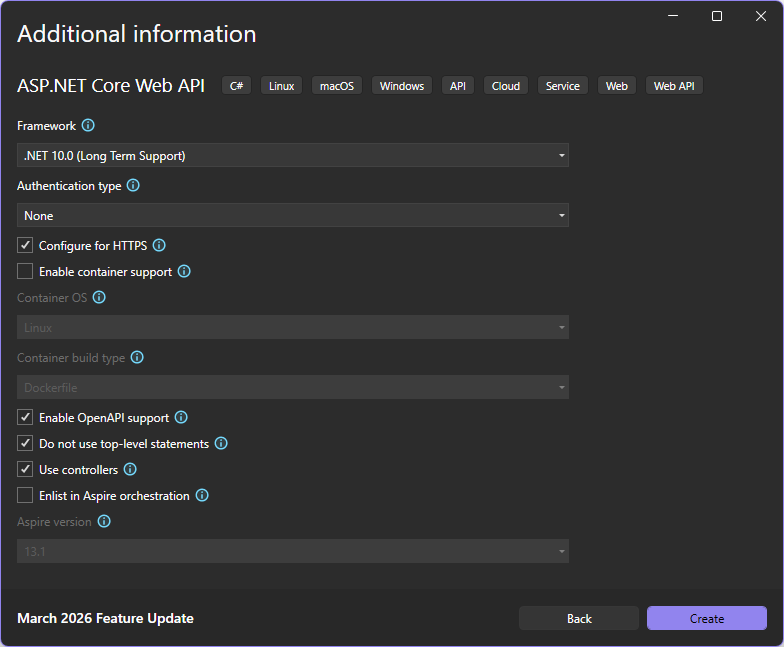
(for updated .gitignore for Visual Studio look here: https://github.com/github/gitignore/blob/main/VisualStudio.gitignore)
Solution & Project
- we have the ability to edit the project file without unloading it from solution explorer
- The File System determines what files and folders belong to the project. All files and folders that are present in the project root folder are part of the project and will be displayed in the solution explorer.
- Among several things we can find in the Project File, (i.e. .csproj),
-
The TFM - Target Framework Moniker. The TFM specify the target framework for the application.
Name Abbreviation TFM .NET Framework net net472 net48 .NetCore netcoreapp netcoreapp2.2 netcoreapp3.1 net net6.0 net10.0 The line added to the project file is
<TargetFramework>net10.0</TargetFramework> -
PackageReference - used to include a reference to all the NuGet packages that are installed for our application. The nuget packages that we added in our simple poject is:
<ItemGroup><PackageReference Include="Microsoft.AspNetCore.OpenApi" Version="10.0.4" /></ItemGroup>In our solution explorer we can find the added nuget packages under the depandancy entry:
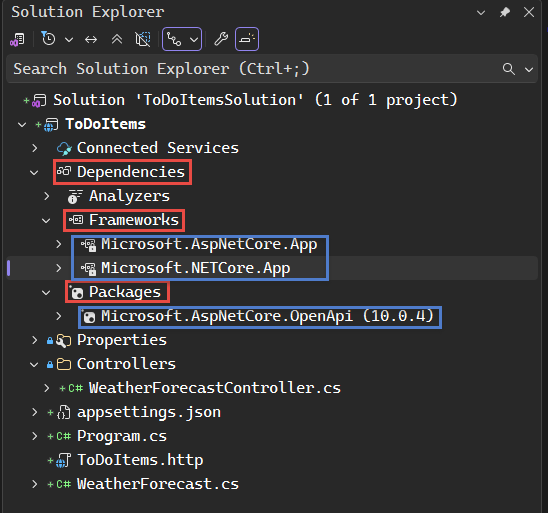
Pay attention that, for exmaple, Microsoft.NETCore.App is a metapackage, i.e. it has no content of its own. It contanis a list of dependencies.
-
Pay attention of Nuget Package Location
-
Here you can see migration changes in the .NET project files through the version evolution.
-